Integrate Follow Up Boss with Squirrels.ai
Bring your Follow Up Boss (FUB) People into Squirrels.ai and leverage the platform’s autonomous, multi-channel outreach to engage with them while your team continues managing their real estate pipeline in FUB.
Via an API key
Existing and new People, automatically
FUB → Squirrels.ai
About 5 minutes
On this page
How the integration works
Connect & sync
Use the Follow Up Boss API key to link your FUB account to your Squirrels.ai account.
Sync existing People
Squirrels.ai imports the available People from the connected FUB account. It automatically detects new People and syncs them to your mission.
Automated follow-ups
Our AI SDR Agent initiates multi-channel outreach (Email, SMS, and Phone) at scale until a meeting/demo is booked, or a sign-up is achieved
Track outcomes
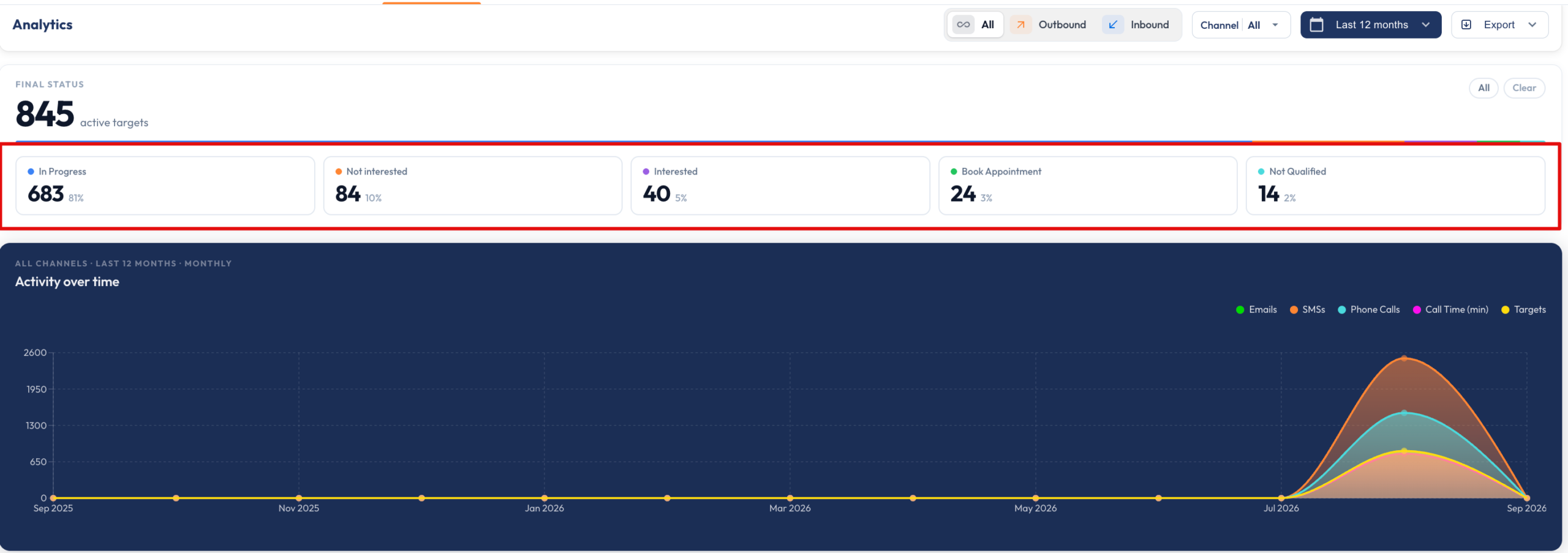
Contact responses are automatically analyzed and categorized into engaging, interested, and not interested, providing real-time visibility in your mission analytics.
Before you begin
Make sure you have:
- Admin access to your Follow Up Boss account
- API key
- An active Squirrels.ai account and mission
- Permission to share the API key securely with the Squirrels.ai support team.
Create an API key in Follow Up Boss
- Log in to your Follow Up Boss account.
- Go to Admin.

- Open Integrations and select API Keys.
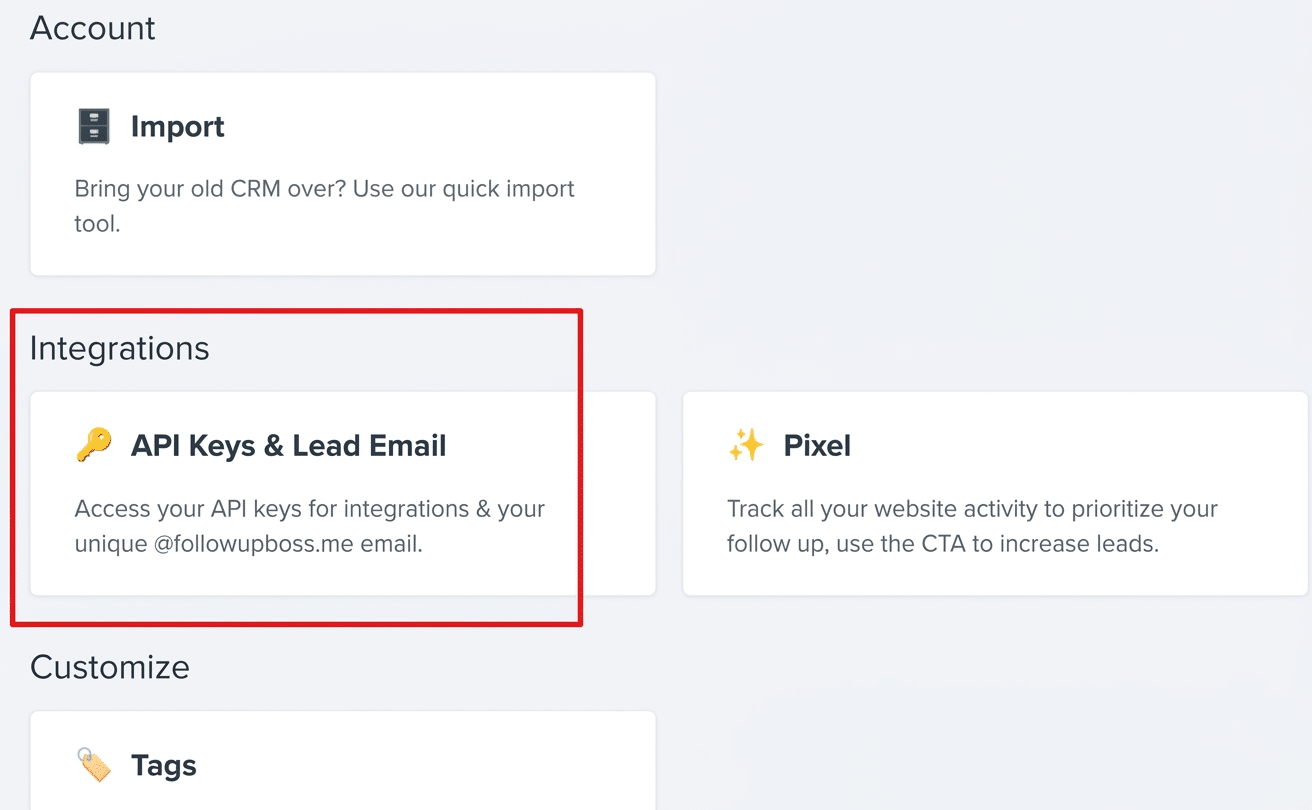
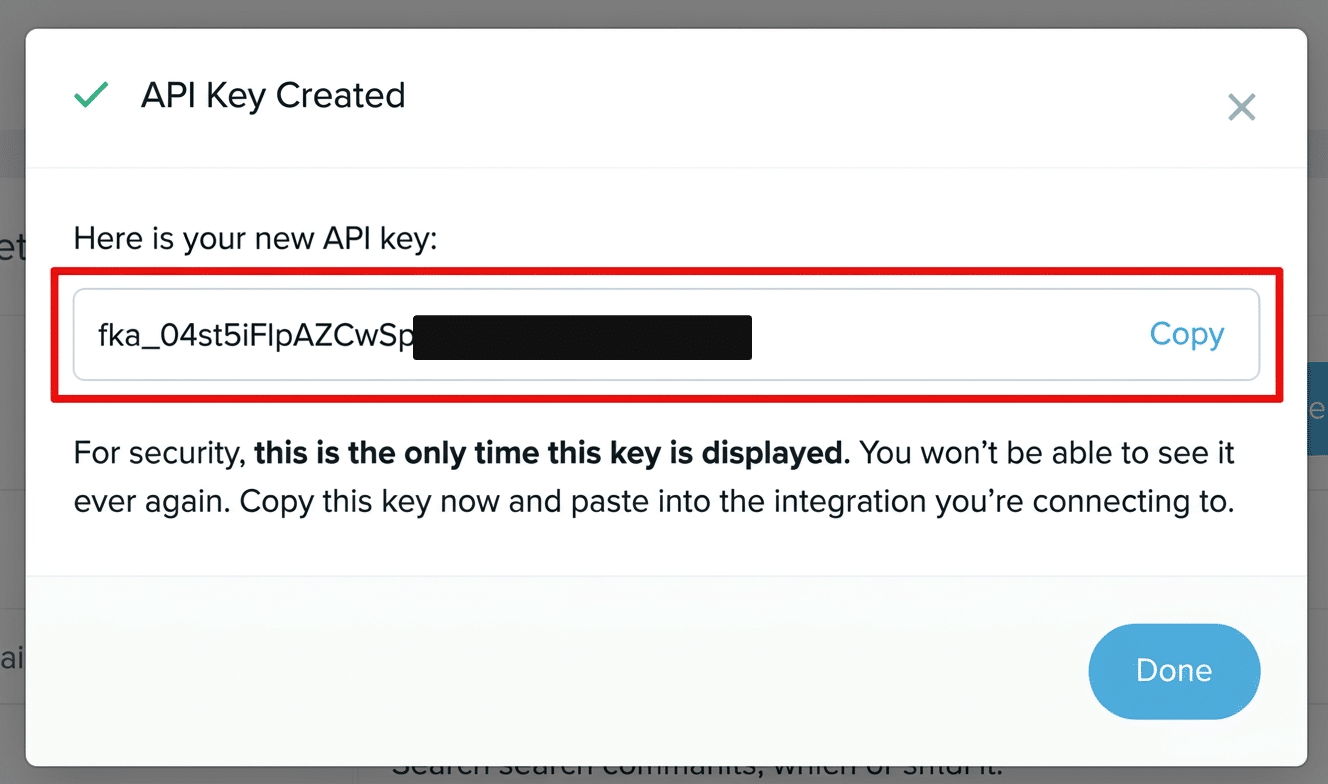
- Create a new API key for the Squirrels.ai integration and share it with us. Our team will connect your Squirrels.ai account to your FUB account using the API key.
Connect Follow Up Boss to your Squirrels.ai mission
- Log in to your Squirrels.ai dashboard.
- Open the mission where you want to use Follow Up Boss contacts.
- Go to Upload Contacts and select Connect via API.
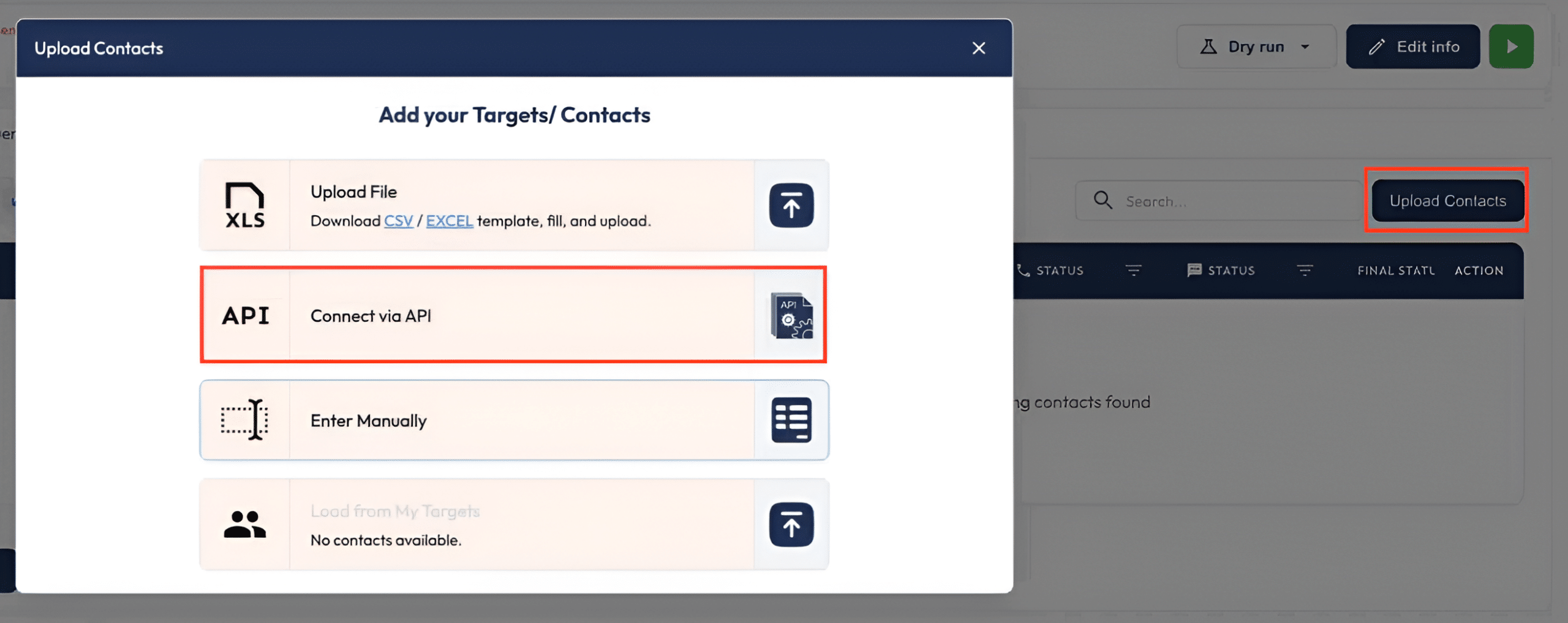
- Choose Follow Up Boss from the integrations list. Squirrels.ai will automatically connect with your pre-configured FUB account.
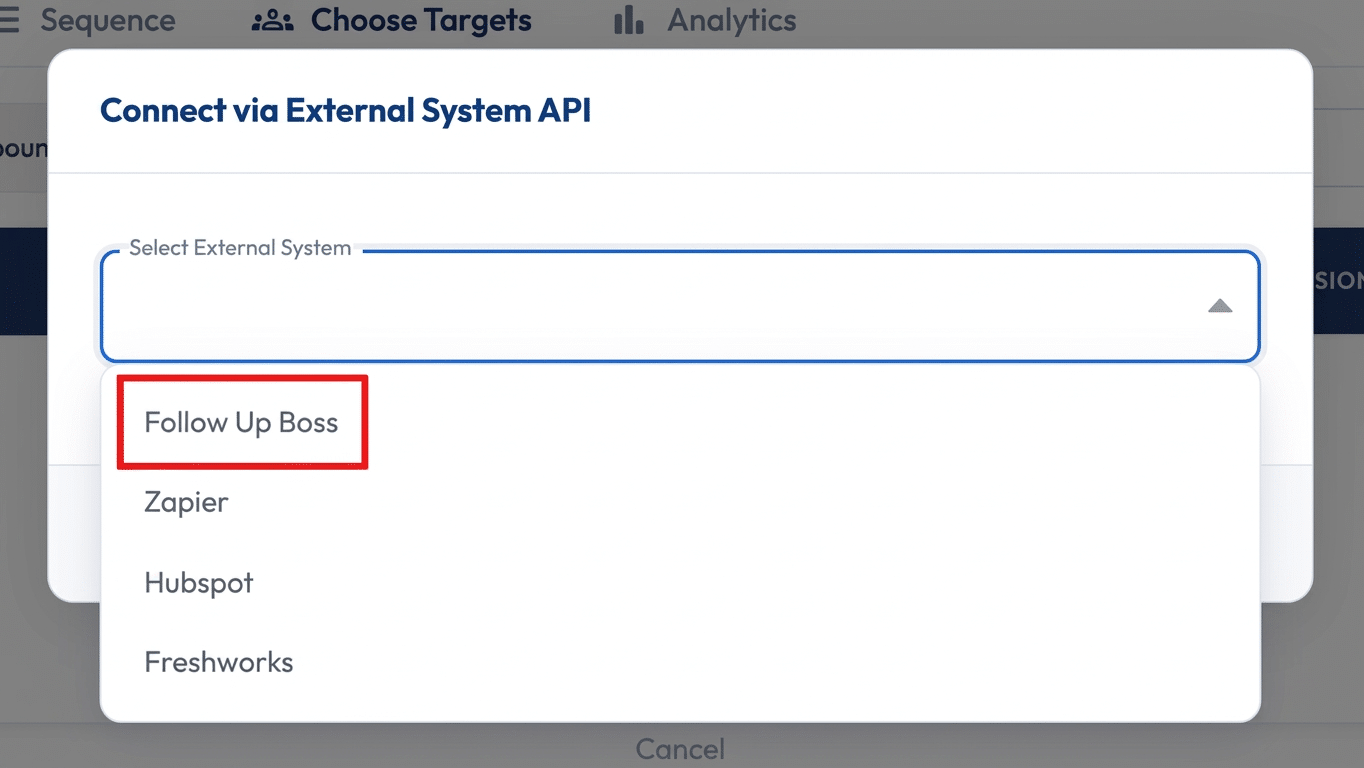
- Squirrels.ai imports People from your connected Follow Up Boss account. Contacts already present in the mission (for eg., AI SDR) are not imported again as duplicates.
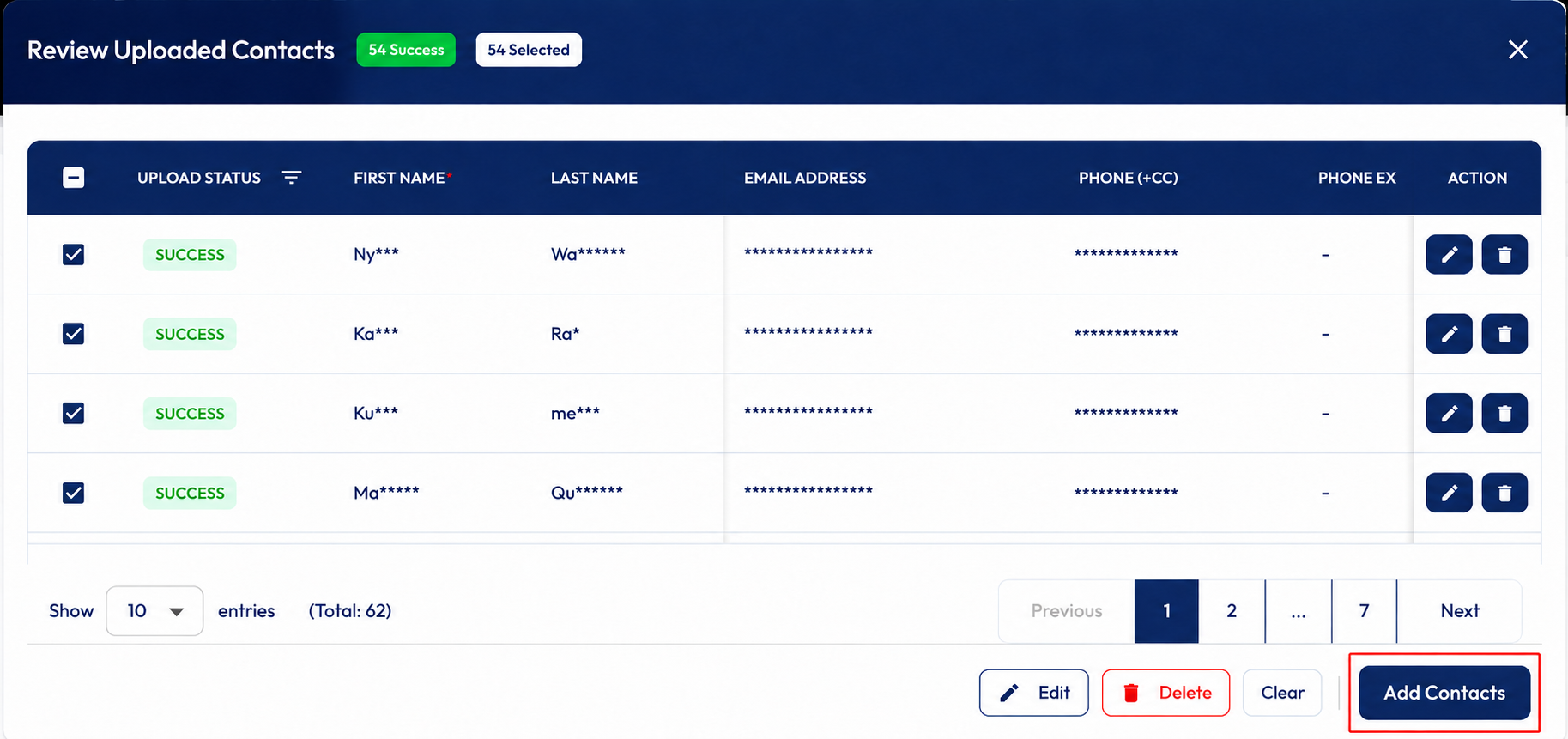
- Click the green start button to let the AI begin engaging with the added contacts. It performs a multi-channel outreach (Email, SMS, and Phone) at scale until a meeting/demo is booked, or a sign-up is achieved.

- Our AI automatically categorizes contact responses as engaging, interested, or not interested. You can view these mission outcomes in real time in your analytics dashboard.
Troubleshooting checklist
Contacts failing to sync? Work through the three checks below in order.
- Confirm that the Follow Up Boss API key was created by an account with access to the People you expect to sync. Check that the API key has not been deleted, revoked, or regenerated.
- Verify that the FUB account has been connected to the correct Squirrels.ai mission.
- Allow the scheduled sync to complete after adding a new Person.
- Confirm that the Person exists in the Follow Up Boss account linked to the integration.
- Check whether the API key owner has permission to access that Person.
- Remember that FUB user roles can limit which People an agent can view.
- Contact Squirrels.ai support if the Person still does not appear after the next sync cycle.
Squirrels.ai checks the internal FUB ID for every synced Person to prevent duplicate imports. If you notice duplicate records, share the affected contact details with the Squirrels.ai support team for review.
The current integration is one-way: Follow Up Boss → Squirrels.ai. AI communication outcomes and contact statuses are not currently synced back to Follow Up Boss.
Connect FUB with Squirrels.ai and move new People into AI-powered communication workflows without manually exporting contact lists.